When you need to permanently lock a PDF, you're protecting the file so its content stays exactly as intended no editing, no extracting, and for confidential documents, no opening without authorization. PDFs support multiple locking mechanisms, and choosing the right one depends on your threat model.
Three Ways to Lock and Protect a PDF
Encrypt with Password
Add an open password so only authorized people can open the file. Uses bank-grade encryption without the password, the content is mathematically unreadable.
How to Encrypt a PDF →Restrict Copying & Editing
Disable text extraction, printing, and editing with permission controls. The PDF can still be viewed but its content cannot be reused.
Stop Copying & Printing →Convert Text to Curves
Flatten all text into vector paths so it can't be selected, searched, or extracted. Combined with encryption, this makes content physically inaccessible.
Convert PDF to Curves →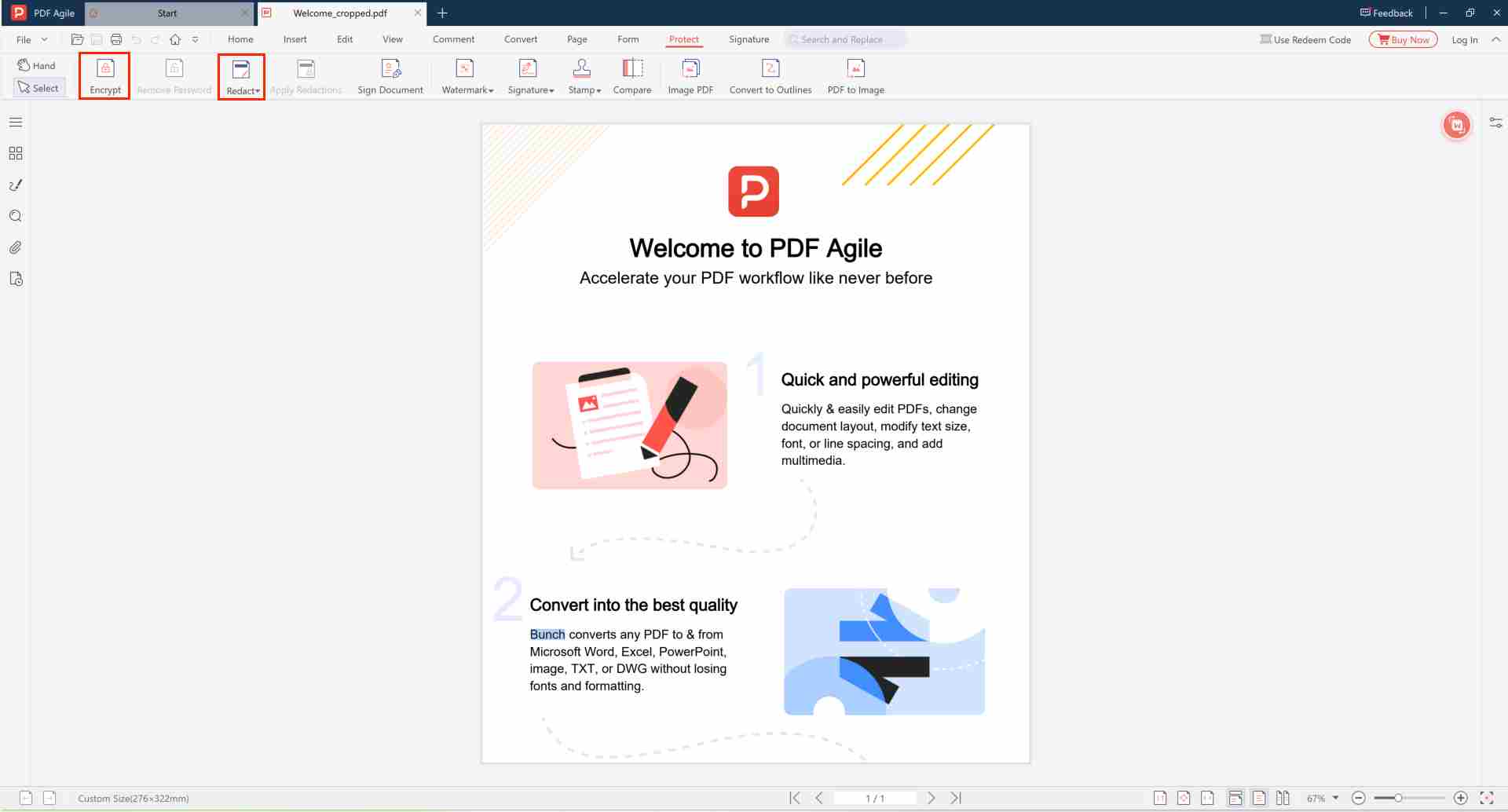
Frequently Asked Questions
🔐 How do I permanently lock a PDF?
Open the PDF in PDF Agile, go to the Protect / Encrypt panel, set an open password with encryption, and save. Without the password, no one can open or read the file.
🆓 Can I lock a PDF?
Yes. PDF Agile provides complete PDF locking features — bank-grade encryption, copy/print restrictions, and redaction tools. No cloud upload, no subscription required. Download the tool →
📱 How do I lock a PDF so it cannot be edited?
Two options: (1) encrypt with an open password to prevent anyone from opening the file, or (2) add permission restrictions to allow viewing but block editing, copying, and printing. Lock PDF from editing →
Permanently Lock Your PDF Free & Offline
Your documents stay on your device. No upload, no subscription.
⬇️ Free Download PDF Agile