Why Blocking Copy & Print Is a Permission, Not a Password
Stopping copying and printing is a permission restriction, not an open password. With it applied, anyone can still open and read the PDF they simply cannot select and extract the text, pull out images, or send it to a printer. This is controlled by the document's permission flags, enforced by a permissions (owner) password.
That's the key difference from encryption: a reader never types anything to read the file, but the "copy" and "print" actions are switched off.
How to Stop Copying and Printing, Step by Step
Using PDF Agile on Windows, fully offline:
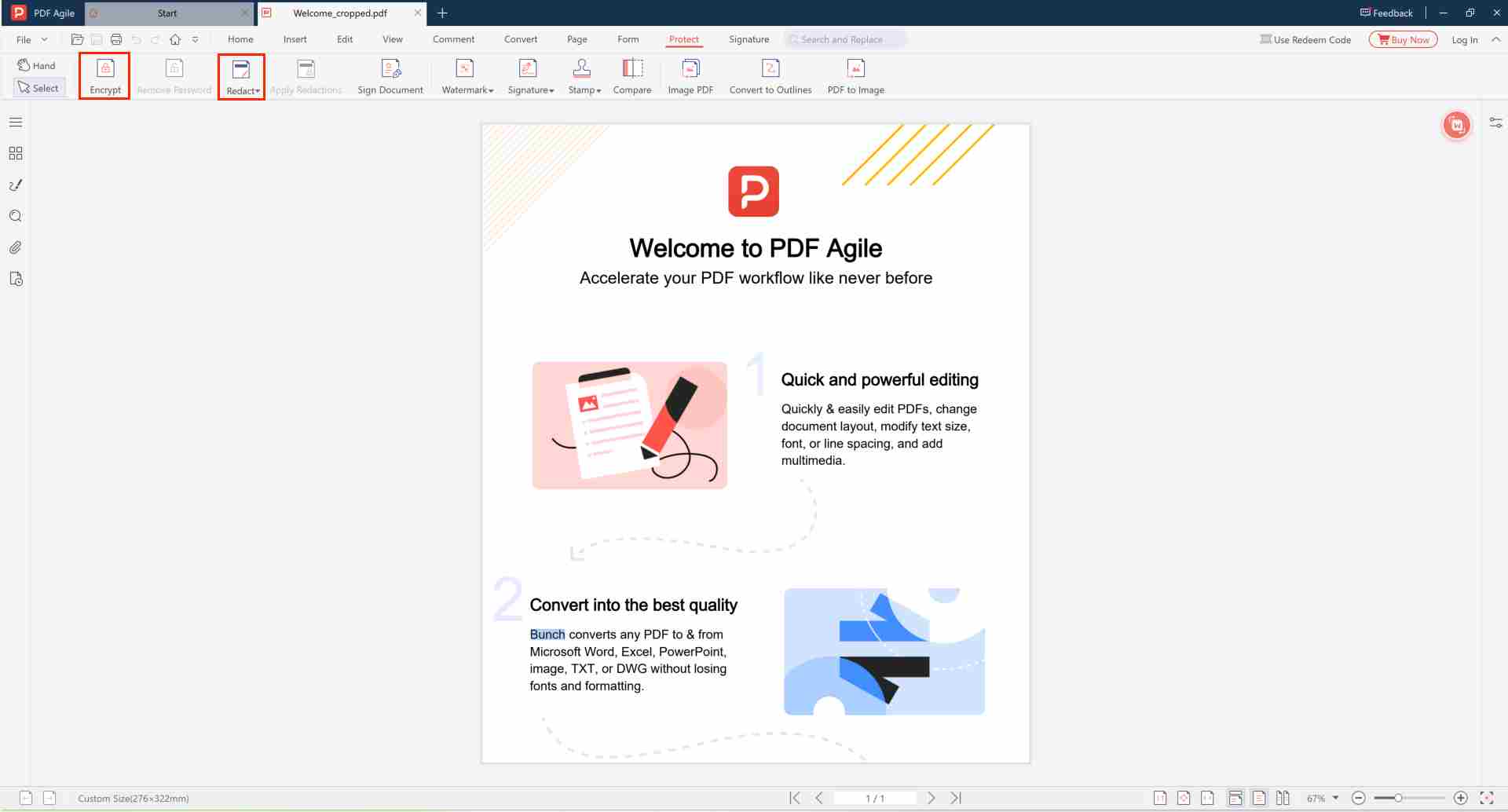
- Open the PDF in PDF Agile. ▲ Location: File → Open, or drag and drop the PDF into the window
- Go to the Protect tab and choose Restrict Permissions. ▲ Location: Top toolbar → Protect tab → Restrict Permissions button
- Set a permissions (owner) password — this locks the restrictions in place. ▲ Tip: This password is used to change or remove restrictions later. Store it safely.
- Uncheck Content Copying and Printing. ▲ Location: In the permissions dialog, uncheck "Enable copying of content" and "Enable printing"
- Save as a new protected copy. ▲ Recommendation: Use File → Save As to keep your original file unchanged.
Note: Permission restrictions stop normal copy-paste and printing in compliant PDF readers. They can't physically stop someone photographing the screen. For truly sensitive data, combine restrictions with an open password so the file can't be opened without authorization, and permanently redact the most critical lines.
Why PDF Agile for Copy Protection?
| Feature | PDF Agile | Adobe Acrobat | Online Tools |
|---|---|---|---|
| Copy & Print Restrictions | ✔ | ✔ | ⚠ Limited |
| 100% Offline Processing | ✔ Local | ✔ | ✘ Uploaded to Server |
| AES-256 Encryption Support | ✔ Included | ✔ | ✘ Not Available |
| No Subscription Required | ✔ | ✘ Paid Subscription | ✔ |
| Batch Processing | ✔ Supported | ✔ | ✘ |
When to Use Copy & Print Protection
- Commercial documents price lists and quotes you don't want copied verbatim.
- Ebooks and reports reading allowed, bulk copying or printing discouraged.
- Templates and samples shared for review, not reuse.
Stop People Copying & Printing Your PDF
Restrict actions with bank-grade encryption 100% offline, no upload.
⬇️ Free Download PDF Agile
✓ No Credit Card Required
✓ 100% Offline
✓ No file upload
✓ Free basic version
Frequently Asked Questions
🚫 ?
PDF。 encryption controls who can open the file.
📱 ?
, PDF。
🔒 Open password vs. permissions password serve different purposes.?
Open password vs. permissions password serve different purposes.Secure 。——PDF Agile。