The Hidden Danger of a Black Box
This is one of the most common and most dangerous mistakes in document handling: someone draws a black rectangle over a name, address, or figure, saves the PDF, and assumes the information is gone.
It usually isn't. A black box added as an annotation or shape sits on top of the text layer. The original words are still in the file. Anyone can:
- Select the area and copy the "hidden" text straight out
- Delete the black shape in any PDF editor to reveal what's beneath
- Search the document and find the supposedly redacted words
Real estate contracts, court filings, and medical records have all leaked this way. Covering text is not the same as removing it.
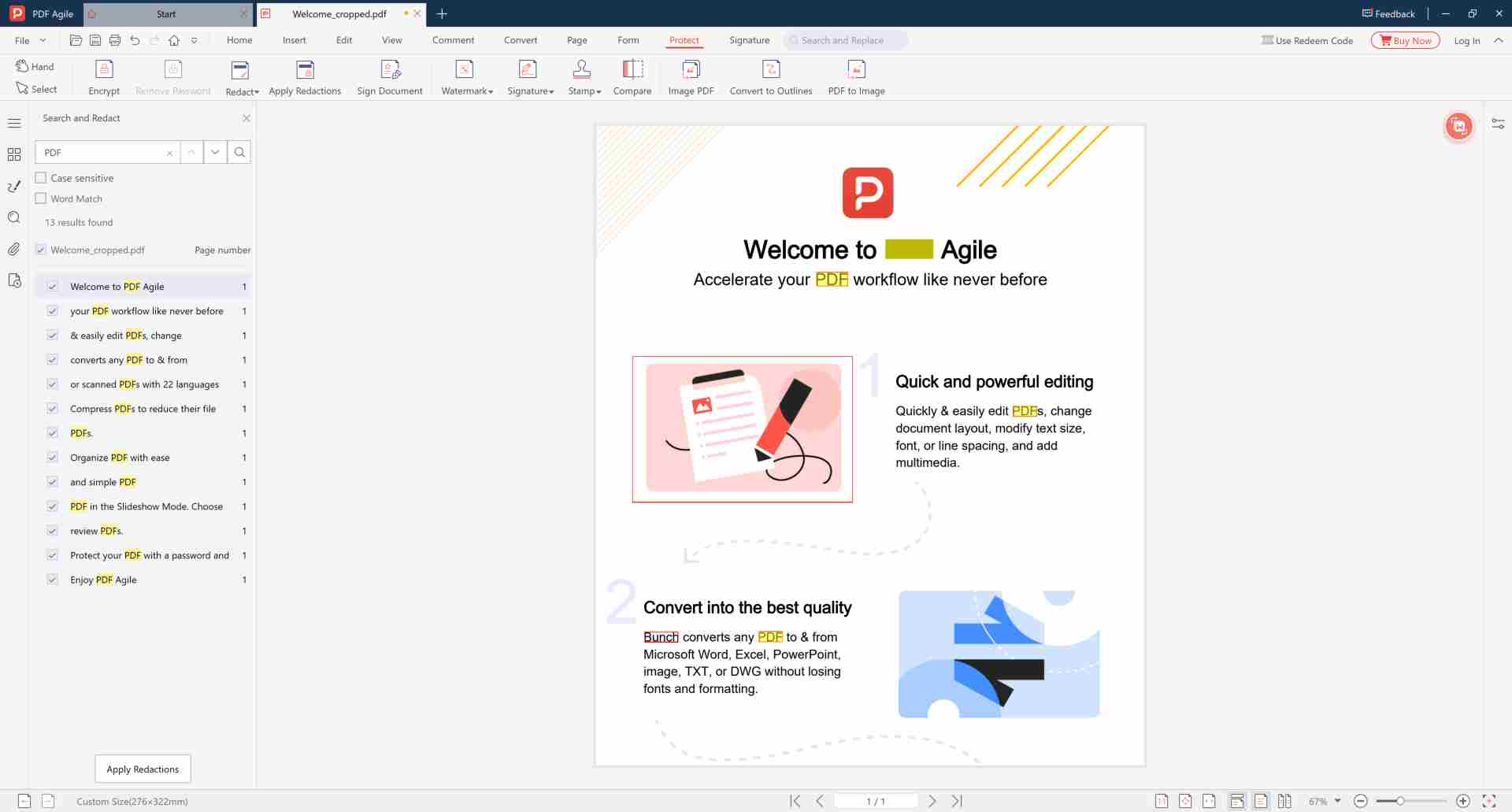
How to Permanently Black Out Text in a PDF
Using PDF Agile on Windows, fully offline:
- Open the document and go to the Redact tool. ▲ Location: File → Open → Protect tab → Redact
- Select "Mark for Redaction" — not the highlight or shape tool. ▲ Location: Redact toolbar → Mark for Redaction button
- Drag a rectangle over the text you want to permanently remove. ▲ Tip: You can mark multiple areas across different pages before applying.
- Click Apply Redaction — this deletes the underlying content, not just covers it. ▲ Location: Properties panel → Apply Redaction button
- Save as a new file — the redacted areas now contain no recoverable data. ▲ Recommendation: Use File → Save As. Keep the original unredacted file separately.
Why PDF Agile for Redaction?
| Feature | PDF Agile | Adobe Acrobat | Online Redaction Tools |
|---|---|---|---|
| True Redaction (Deletes Data) | ✔ | ✔ | ✘ Cover-up Only |
| 100% Offline Processing | ✔ Local | ✔ | ✘ Uploaded to Server |
| Encryption + Redaction Combo | ✔ Supported | ✔ | ✘ Not Available |
Redaction Plus Encryption = Complete Protection
Redaction removes specific secrets; encryption protects the whole document. For sensitive files, combine both: redact the confidential lines first, then encrypt the PDF on the final file. See our full permanent PDF redaction guide for the complete workflow.
Black Out Text That Can Never Be Undone
True offline redaction — the removed content is gone for good. No upload required.
⬇️ Download PDF AgileFrequently Asked Questions
🔍 Is text under the black box really deleted?
If done correctly, recovery is impossible. PDF Agile deletes the underlying text data, not just places a shape on top. Test with a copy first to verify.
📄 Can I redact scanned PDFs?
Yes. For image-based PDF pages, the marked region is permanently removed from the image so scanned content cannot be restored.
🔒 Does redaction require internet?
No. All redaction operations run locally on your device. Your confidential files never leave your computer.